
How many people actually do UX? Why settle for assumptions when tools are at your disposal and so simple to access?
Let us talk about Hotjar, the number one tool for truly doing UX for a website.
Note: In 2021, Contentsquare acquired the Hotjar tool. Contentsquare and Hotjar help businesses understand their customers’ online behaviour. Together, they now serve the global market and enable businesses of all sizes to deliver exceptional digital experiences to their customers — whether individual businesses, SMEs/growing companies or large enterprises.
What Exactly Is UX — User Experience?
UX — user experience — encompasses a whole range of different methodologies and professions.
The subject being far too vast, I prefer not to simplify it into a few sentences. Instead, we will look at what Hotjar can do for your website — this will be far more effective and concrete for you.
In any case, UX is about data analysis, and it always has been. Certainly there are things that UX practitioners can guess — for example, that it is preferable to have a menu icon at the top right rather than the bottom left — but as a general rule everything is always based on data. Otherwise you are not doing UX.
What Is UX For?
Yes, this seems relatively obvious, but when we state things clearly we assimilate them better than by pretending we already know.
So let us say it. You have no way of knowing whether your site is working without using a UX tool.
Are you already generating money with your website?
But perhaps half of your users are not taking action simply because they do not see your site the way you do. There are many different factors. But beyond being able to fix the “big problems”, Hotjar — in this case — will also optimise conversion to the maximum.
In fact, beyond understanding what is happening with your users and understanding their needs, Hotjar will allow you to go much further. Indeed, you just have to leverage their psychology, their biases, to push them to act (based on your personas).
Can You Do UX with Hotjar?
It is always better to do a little UX than to do none at all. What is great about Hotjar is that the tool is very UX-oriented — so anyone can use it easily, beginner or expert alike.
Is Hotjar Simple?
If you are wondering how simple Hotjar’s tools are to use, the answer is far simpler than you think.
Here is an example of creating a satisfaction survey:

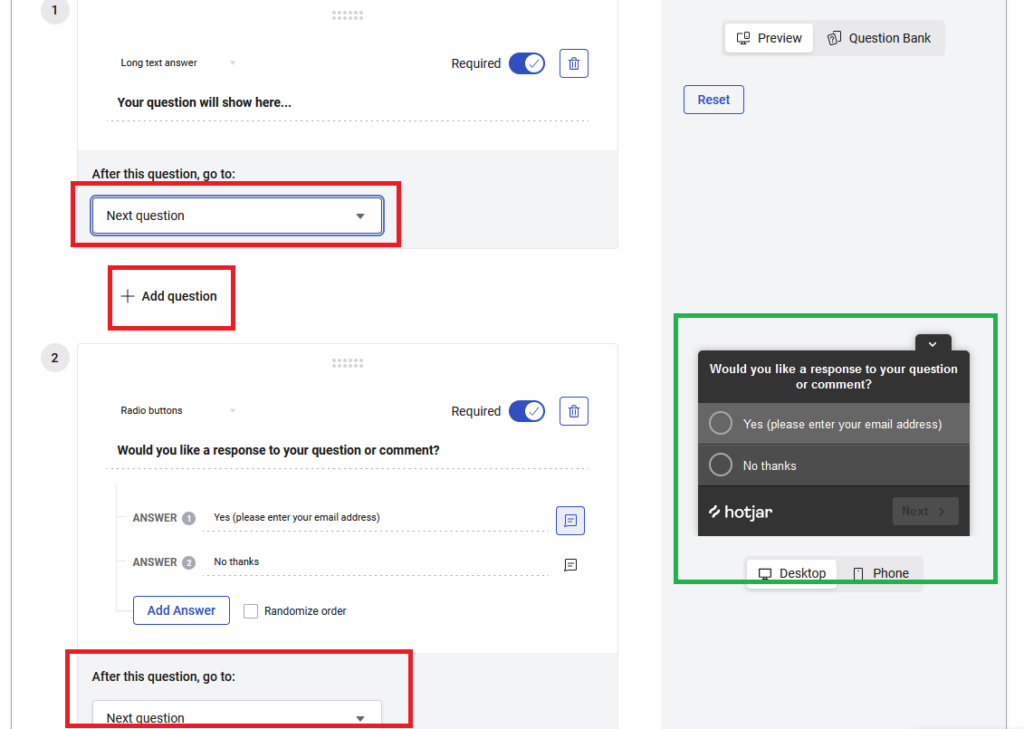
All you have to do is click buttons:
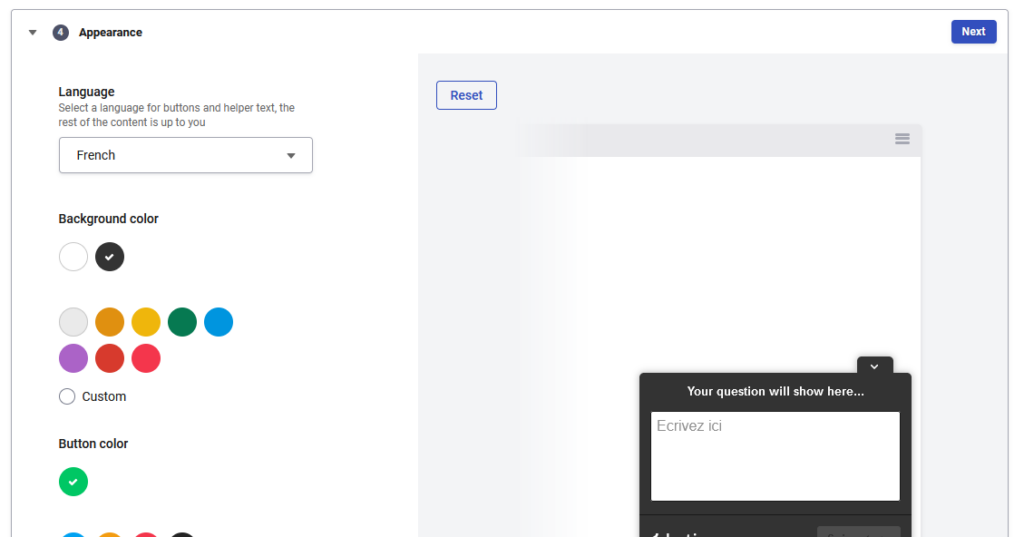
What Hotjar Offers
Hotjar is a tool that allows you to quickly understand how users behave on your site, what they need, and what they feel.
How? Well, thanks to four different tools.
Here they are:
- Heatmap: heat map
- Recordings: Hotjar tracks users’ mice
- Survey: polls / surveys
- Feedback: user feedback on products and/or services
- Highlights
The Heatmap
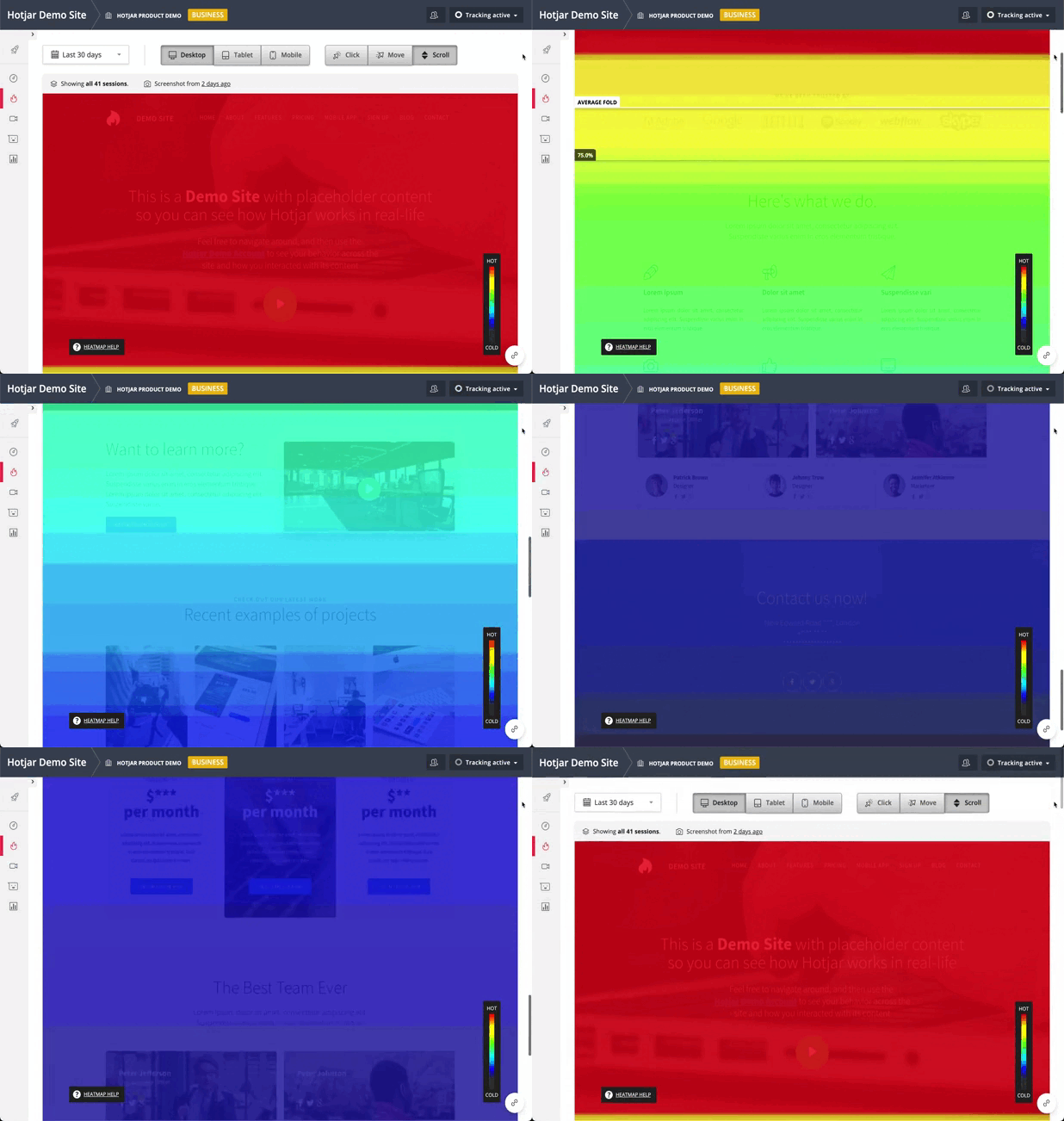
The heatmap (or “heat map” / thermal map) displays the areas most explored by your visitors on a page of your site.
The heatmap is built as follows:
- The most clicked areas
- The areas most hovered over by the mouse
- The areas most scrolled through (how far down visitors “scroll” in your pages, using their mouse wheel or the browser scroll bar)
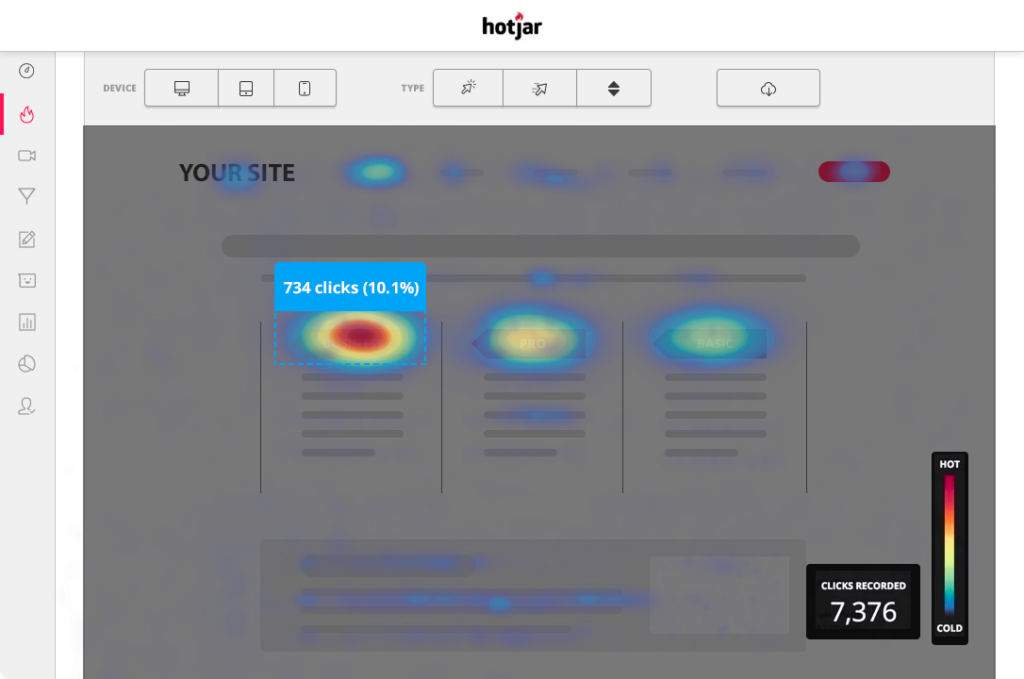
Heatmaps visually represent where users click, move and scroll on your site. In this context, you will learn how users actually behave.
In this case study on a trampoline site, the heatmap identified that a zone was not being seen because it was not being scrolled to (little scrolling).
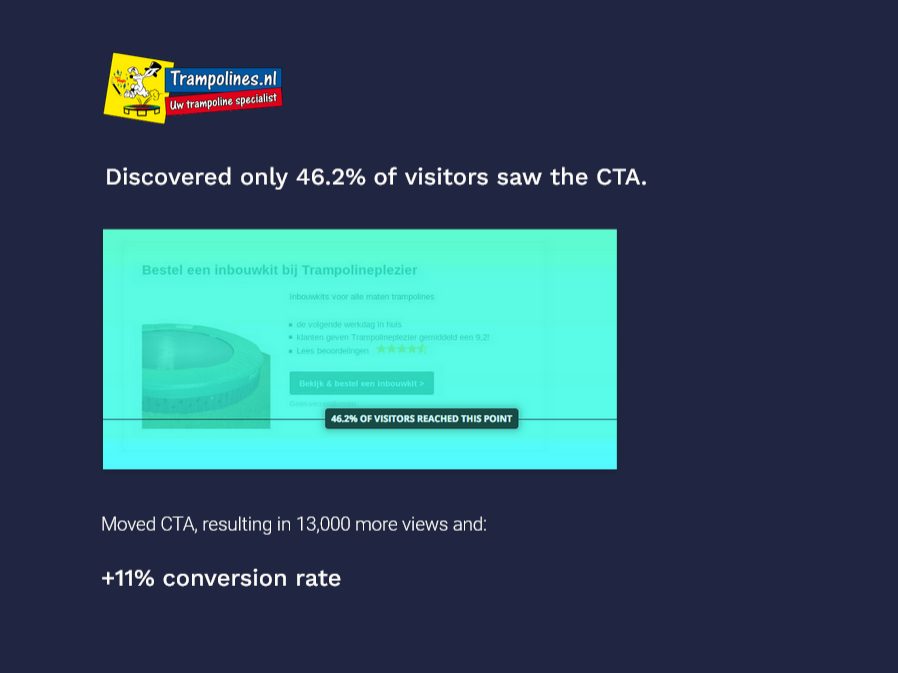
Indeed, a heat map identifies the overall hot zones of a page — not just the “small” hottest zones:
Recording
With the “recording” tool, Hotjar captures exactly what a user does when they arrive on one of your pages by recording all their actions:
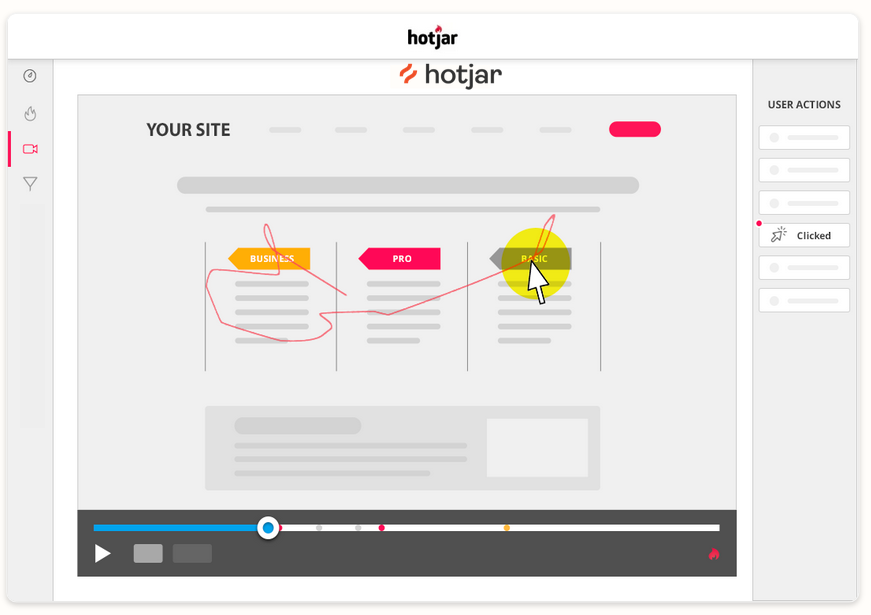
Recordings are live videos of users on your site. This records all clicks, movements, U-turns and rage clicks.
In just moments, you can check and identify problems and quickly find solutions to fix them.
If you work in a team — or not — a very interesting feature is to rate the recording:

You can also filter your users’ recordings:

Survey / Satisfaction Survey
It is all very well seeing how users react, but again the interpretation of results will remain assumptions — even if much more refined.
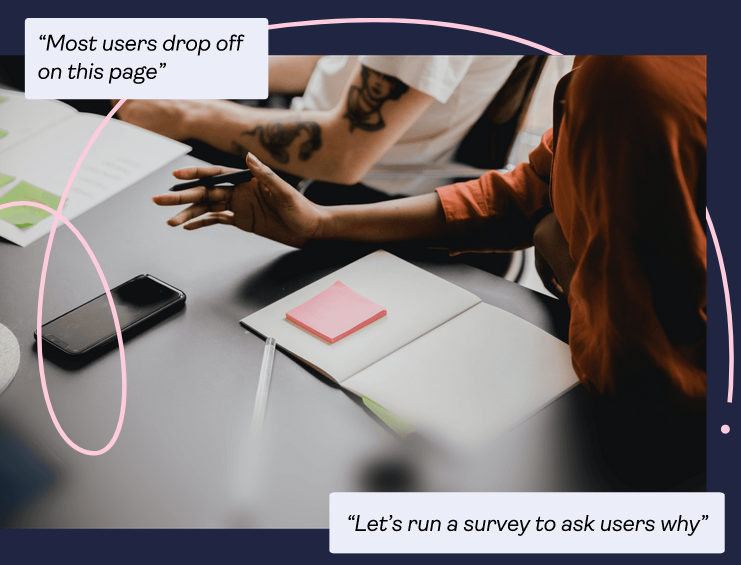
Suppose someone arrives on a page and leaves after 20 seconds. What happened? Their mouse movements seemed logical, but suddenly they left. There can be enormous numbers of reasons, or perhaps they simply had an internet connection problem.
So what better than to offer a satisfaction survey on your site? It is also possible to send them by email to your newsletter subscribers and much more — but let us try not to get sidetracked.
Here is what it looks like:
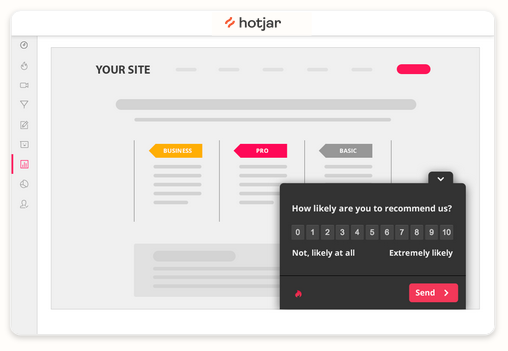
This is a very basic example, but you can do whatever you want:

Here is another example of what you could do:

I will leave you to imagine your own satisfaction survey for your website.
It is possible to add as many questions as you like as you go, and to ask for an email address at the end of the survey. The user will have the choice of providing it or not. If they decide to leave their email address, you could take the opportunity to ask them additional questions if necessary. For example.
Feedback
The “feedback” tool is a suggestion box. Users can leave comments there and thus express their frustration or satisfaction about certain parts of your site — down to the page, form or image they are viewing.
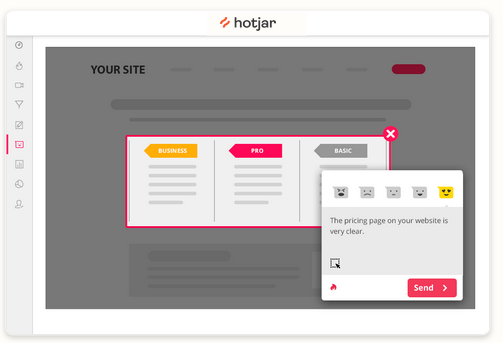
Do I need to argue about the usefulness of this?
Highlights
With Highlights, you can cut excerpts from your recordings and heat maps and save them in collections that you can share and analyse with your team. With all your significant insights organised in one place, you can easily discover opportunities, validate hypotheses and get buy-in from your team.

Hotjar in Active Mode
Now that we have seen the fabulous tools at your disposal, let us look together at how you could use them to easily improve your user experience.
A/B Testing
A/B testing is not in itself something possible within Hotjar. At least they do not have a tool to do it, as Google Optimize could (Hotjar allows GO to be integrated on their tools, but let us not get sidetracked).
Nevertheless, this does not prevent you from doing A/B testing.
A/B testing is simply an element that is sent to users A and users B. Every other time, an element is sent differently to a user, and we then see which button, for example, obtained the most clicks (colour / text / …).
Suppose you have a Call To Action (CTA) on the right of your site, and you decide to display it on the left because on the heatmap nobody seems to pay attention to it. Thanks to A/B testing you will be able to see whether the internet user clicks more on the CTA if it is on the left.
You can directly apply the modification to your site for all users, and then observe from Hotjar whether the element is more visible than before.
In short, you can do A/B testing with Hotjar — you simply do not send different content to user A and user B. But ultimately, the result and the principle remain the same. On the other hand, collecting data with this method — that is, without a dedicated A/B testing tool — takes longer.
However, nothing prevents you from using Hotjar’s integration with your preferred A/B testing tool. This allows you to enhance the performance of both and avoid this inconvenience.

Quickly Identifying the Biggest Problems
We talk a lot about conversion optimisation, but Hotjar will above all allow you to quickly identify the blocking points on your site.
Watch users who click and then go back on your site. Quickly discover frustration points to avoid stress and annoyance for your users.
By going to the “recording” tab, you will see small U-turn icons in the timeline at the bottom of the video. If they appear, go to that precise moment in the timeline and you will see your user going backwards in action. In general, it will be very simple to understand why.
For example, if an intrusive advertisement appears in the foreground, perhaps your internet users cannot close it and therefore leave immediately.
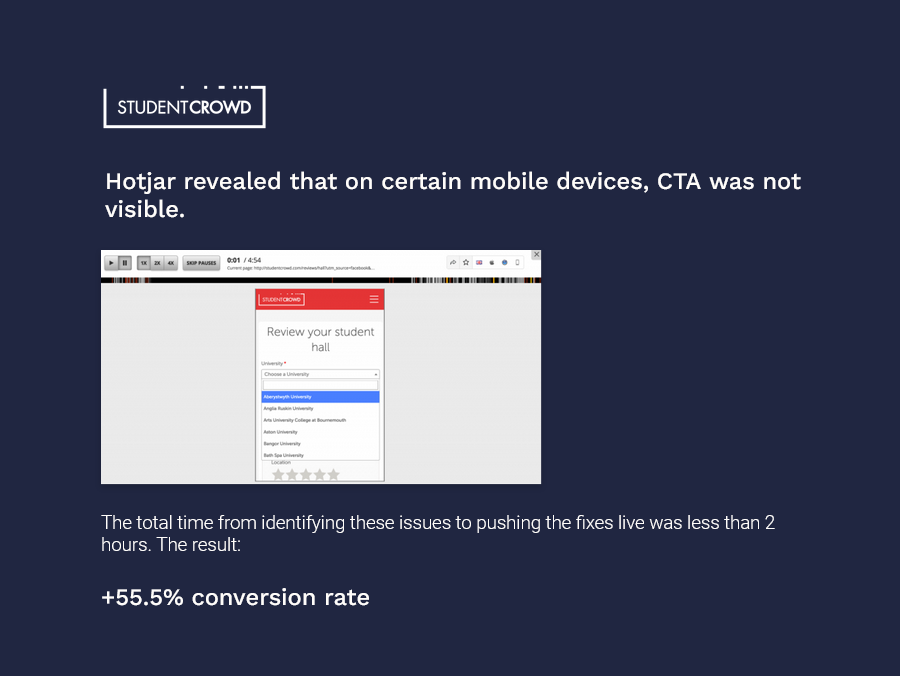
Perhaps a link takes up the entire screen on mobile and when they scroll they automatically click on the link — obviously ruining their user experience.
There can be enormous numbers of problems to identify. With Hotjar, it is simple, quick and concrete, and you do not need to be a UX expert to use it.
You Will Not Do Everything with Hotjar
Hotjar covers the main levers — those that will have the most impact on your turnover.
On the other hand, I would like a more comprehensive tool with features on accessibility — one of the key points of UX.
For example, how does a colour-blind person see your site? Yes, there are plugins to transform the colours of a page to see it in the same way a colour-blind person might. But for example, imagine a user cannot see your CTA. Why? Perhaps the overlay of the background colour and text colour makes the text invisible to them. If it were possible to tick a small box in the recording — such as a “colour-blind mode” — perhaps we could better interpret certain behaviours that are not explicable at first glance.
In other words, Hotjar will not replace the UX profession — a profession you should invest in (there are actually several distinct professions) — but it is better to use such a tool than to not leverage user experience at all.
UX Is Also Accessibility
I make a lot of reference to the benefits of UX. Normally UX is only about user experience. It is not there to make more money. Optimisation should be for your users — that is what is taught at school. UX is just about UX (I learned UX at Google).
But businesses have understood this very well: improving UX is incredibly powerful for improving results.
Site owners do not bother creating solutions primarily for the experience of colour-blind people, for example — who represent 4% of the population (in France). Yet accessibility is one of the pillars of UX. A point I wanted to raise. If you are a UX professional and I have hurt your sensibilities by talking about conversion, I apologise.
If you want to work on accessibility, the quickest and most effective way is to implement a tool called equalweb (this is not sponsored).
Fiverr has implemented it on their website, and since a video is worth a thousand words, here is what it looks like:
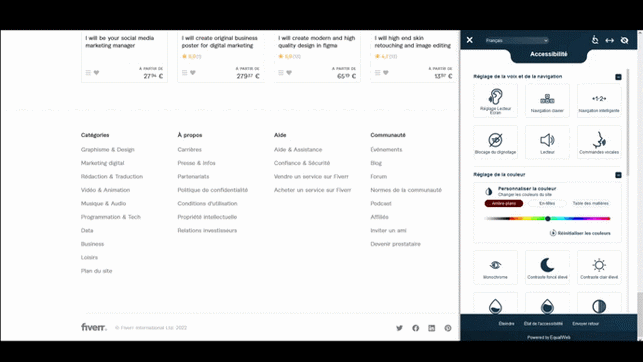
Only a few features have been shown — what is important to know is that by integrating the equalweb tool on your site, all your users will be taken into consideration. Visually impaired, blind, deaf, etc.
Summary on Hotjar:
Are you wondering why you are not already using Hotjar? When you are unaware of something, you do not feel the need for it. Once you use this tool, you cannot do without it.
And no credit card required.
Important: The quality of your hosting is paramount. If you do not have a hosting provider as good as , for example, recording each user’s video, surveys and a whole range of other third-party code could crash your site or slow it down significantly.