
NAP consistency is one of the most important factors in local SEO.
More broadly, as a business owner, you need to understand the challenges related to local SEO.
Google places enormous emphasis on displaying search results for location-based searches. It also frequently uses geolocation to show you more precise results.
This is where NAP (which stands for Name, Address, Phone number) comes into play. According to Moz, NAP consistency is one of the most important factors in local SEO. Other studies have been conducted after Moz’s, and everyone tends towards the same conclusions.
The Importance of NAP Citations in Local SEO
Due to a recent Google algorithm update influencing local search, having a consistent NAP plays an important role in local pack results and in Google’s geolocation-based search results, as well as in building citations for your Google My Business listing.
Google examines these citations to ensure you have a legitimate business, thereby building trust among your potential customers. To put it simply.
The more listings you obtain with the same information, the more trustworthy you appear to Google. Once users perform a geo-targeted search, Google will use your information to display the most relevant localised results.
Otherwise, inaccurate NAP information can frustrate your users and potentially cause you to lose valuable customers.
Here are some examples of good and bad NAP listings:

Checking Your NAP Consistency
Unfortunately, many businesses neglect the importance of having consistent NAP information. And worse still, the majority are not consistent.
Search engines and customers are not smart enough to find the correct NAP data among different names, variable addresses, and inappropriate phone numbers.
The truth is that ensuring your NAP profile is consistent and up to date on your website and on other platforms is crucial for ranking well in local search results, gaining SEO value, and increasing your business’s sales.
Why do I say this? I recently worked on the SEO of a site that wanted to appear in local searches. It had different addresses (the A in NAP) between its structured data tags, its contact page, its Google My Business listing, and on directories such as PagesJaunes.
Yes…
The reasons can vary: a change of address along the way without updating information, brand ambiguity, or owners who sometimes cannot decide between their offices or their registered address, for example…
5 Ways to Optimise Your NAP Citations
Now that you know the basics, let’s look at the practical details of what you can do for your NAP profile.
1. Conduct an Audit
To begin, conduct an audit.
I am not talking about a heavy SEO audit. Just an audit of everything related to NAP citations in search results.
If you are running a new business, you can handle the paperwork correctly to maintain NAP consistency. For local businesses that have been operating for a long time, it is essential to know where they are already listed online. So do a quick search to see how your business information appears across multiple websites (such as directories).
You can search for your name on Google, your address, or your phone number, or combine two or three of them.

Here you can see that the address is not correct. They also have not decided on the exact name of their business. Rte Dauphine or RTE Dauphiné or RTE DAUPHINE?
In-Depth NAP Citation Analysis
For a detailed audit of the website, and more specifically of its NAP citations, you can use the audit from Semrush, Ahrefs, SE Ranking, or whichever you prefer, to identify all external links you have and any possible issues with NAP citations.
Once you have found these citations and website listings, make sure to organise them in your spreadsheet to determine which ones need to be corrected.
As an example, let us use Google Search Console, in the “links” report:
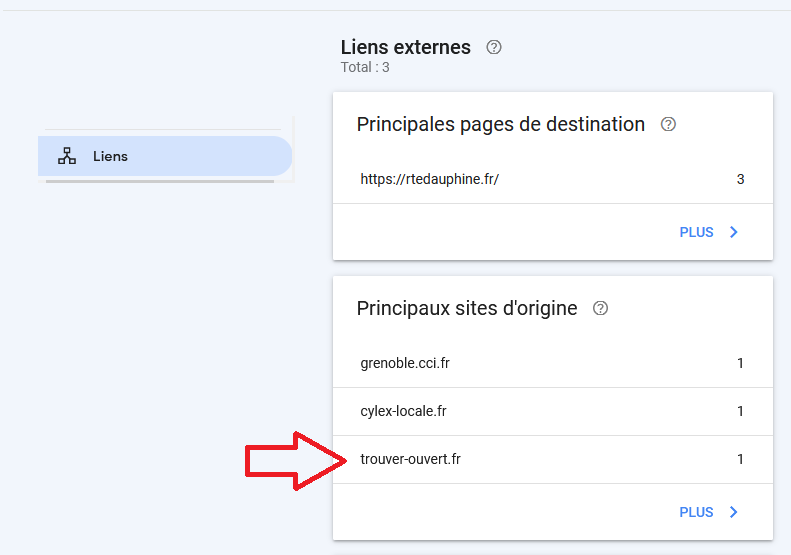
trouver-ouvert.fr links to us. We had not seen it in the search results.
By simply searching on Google for “trouver ouvert rtedauphine”, we find that it links to us with incorrect NAP citations:

Checking for Duplicate Listings
Another potential NAP issue is the accidental creation of duplicate listings for the same website. Multiple listings with incorrect NAP data can confuse users and search engines, meaning they do not know which listing to trust and rank.
To avoid this, a simple method is to use Semrush’s “listing management” report:
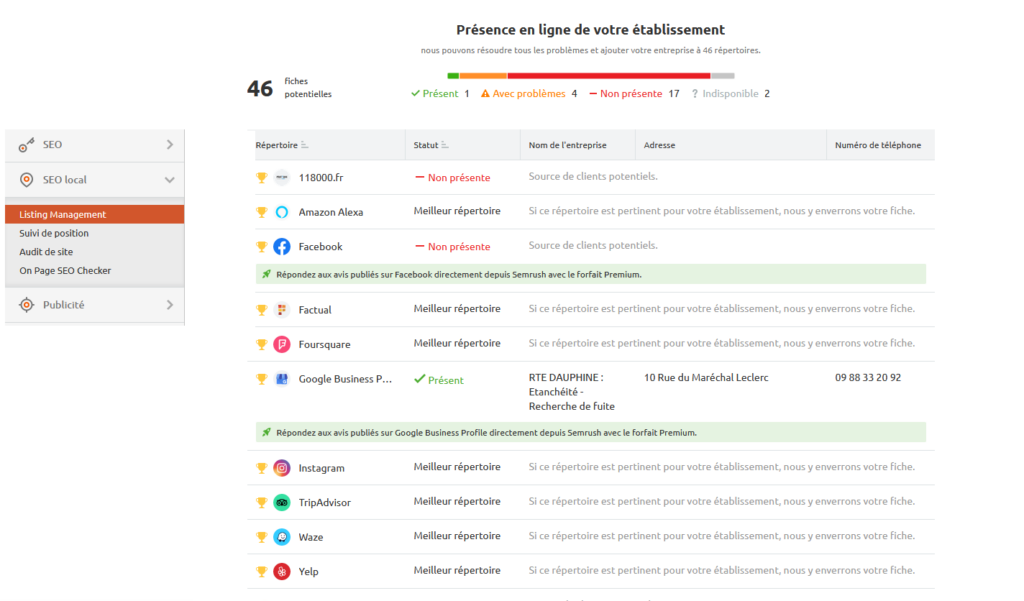
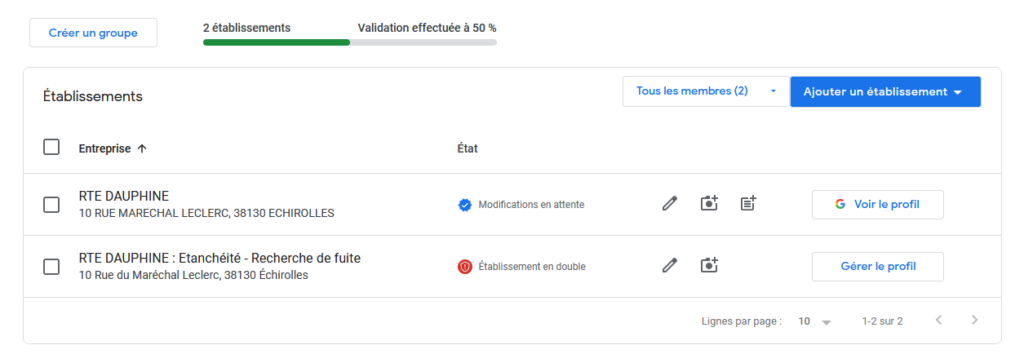
Make sure the SEO consultant has not created a different listing from the business using their own email addresses. Also check whether there are any duplicates for the same email address by going to Google My Business → Business (at the very bottom of the left-hand menu).
Here is what this might look like:
2. Update Your Google Business Profile Information
Now that you have audited your NAP citations, update your Google My Business listing. Was it the listing that was out of date, or the websites linking to you?
I cannot determine this for you, but put the correct address on GBP (formerly GMB).
Make sure to check:
- The phone number
- The full address
- The business name
To update your GBP listing, simply search for your business name on Google and then edit the listing:

Then click “Edit profile”:
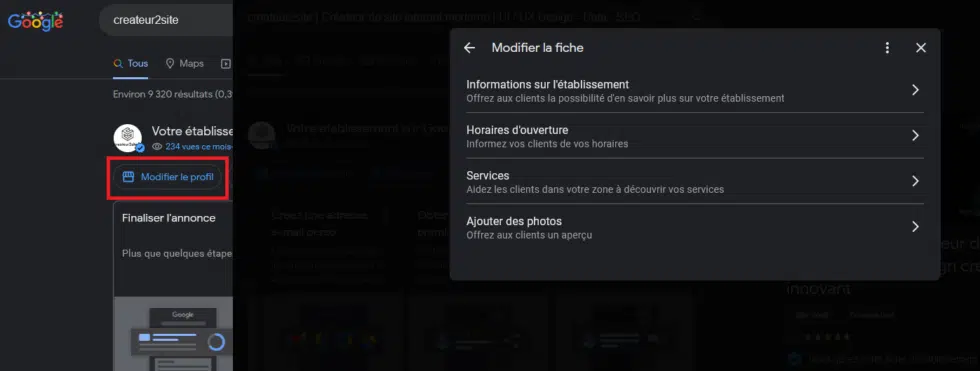
Note: it is also possible to have a duplicate GMB listing; delete it by claiming your business listing and going through the verification process.
Also, to maximise your local SEO, do not forget to complete your GBP listing as fully as possible. There is a dedicated article on this topic.
3. Update Your Website
NAP citations can and should also be present on your website. This helps search engines and customers to clearly understand your information.
Here is what you can do:
- Display your information in the footer
- Display your information on the contact / quote page
- Display your information on the homepage
Placing your business address and phone number in your footer ensures that your NAP information appears on every page of your website.
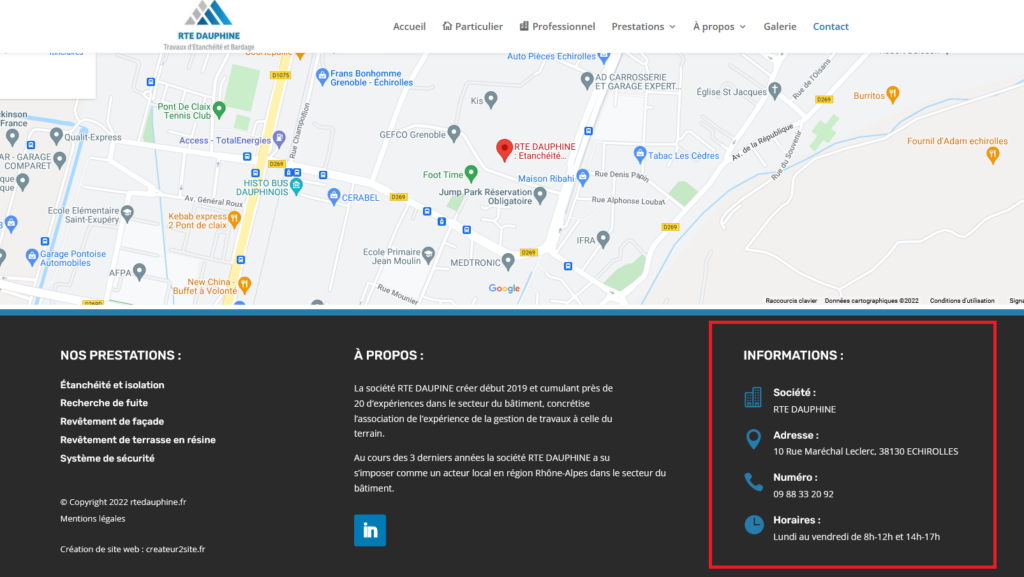
In any case, display your information at least on your contact page. Or “about” page. You get the idea.
Here is another example:
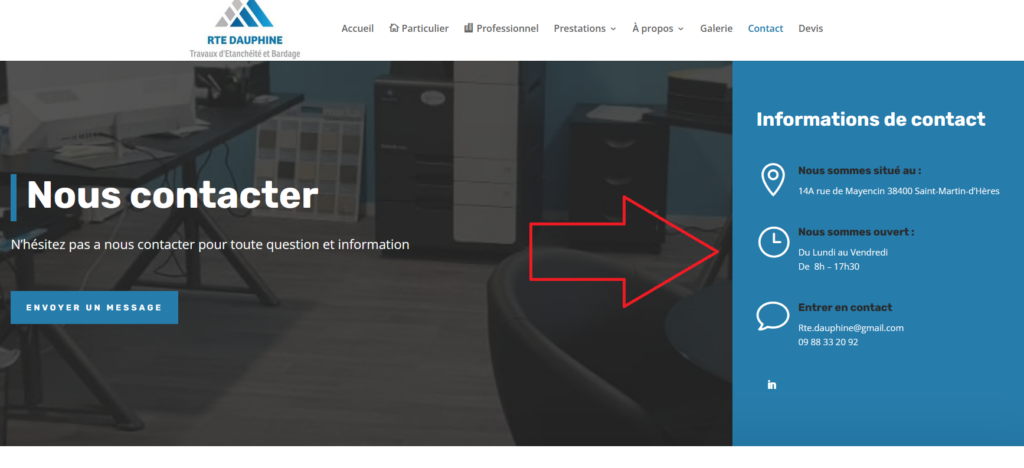
Add Google Maps to Your Site
Adding NAP citations to your site’s pages is important, but to optimise everything further, I also recommend indicating your business location with Google Maps.

4. Add NAP to Local Structured Data
Structured data, or schema markup, are code snippets to be placed in the <head> of each page of your site.
What is this for?
It allows Google to better determine who you are. And especially so if your NAP is not clear. Indeed, in your structured data you can specify to Google that your phone number is such and such, the same for the address and the name.
Example schema code for the address:
“@type”: “Restaurant”,
“address”: {
“@type”: “PostalAddress”,
“addressLocality”: “Sunnyvale”,
“addressRegion”: “CA”,
“postalCode”: “94086”,
“streetAddress”: “1901 Lemur Ave”
},
For the phone number:
“telephone”: “0651893583”,
For the name:
“name”: “GreatFood”,
Opening hours:
“openingHours”: [
“Mo-Sa 11:00-14:30”,
“Mo-Th 17:00-21:30”,
“Fr-Sa 17:00-22:00”
There are many others, but these cover NAP. If you wish, all local schemas are here: https://schema.org/LocalBusiness
Also, structured data markup allows you to obtain what are known as featured snippets or rich snippets.
I therefore also recommend adding review schemas. Simply place this code:
“aggregateRating”: {
“@type”: “AggregateRating”,
“ratingValue”: “4.9”,
“reviewCount”: “11”
},
If you would like to know more, I recommend consulting the dedicated article on our site directly.
Otherwise, to generate your tags, you can simply go to , the structured data tag helper tool:

Then, to verify that you have correctly configured the code snippet, you can test it on Google’s structured data testing tool, .
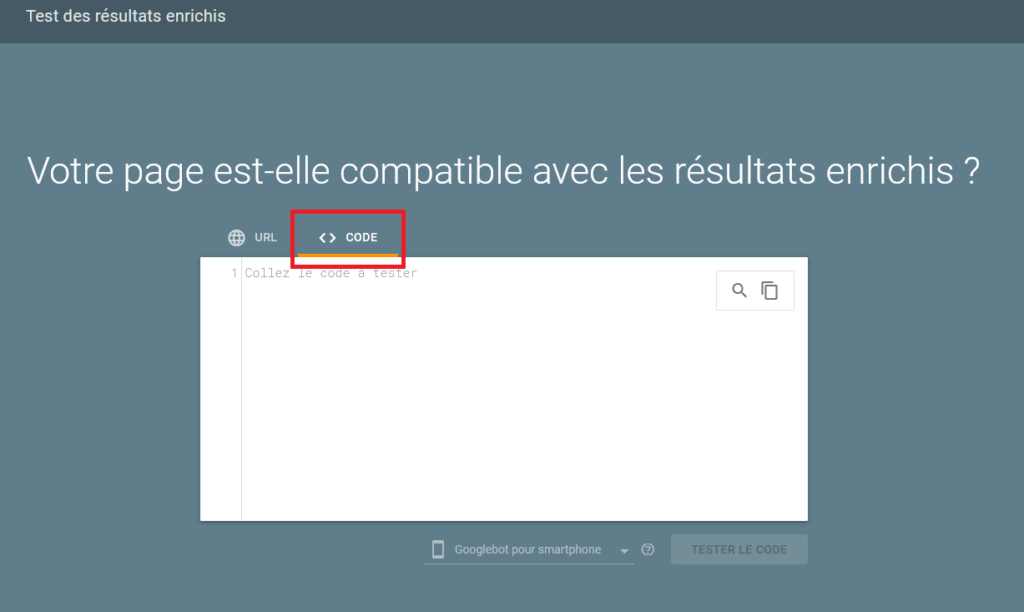
Google will give you additional recommendations or warnings if you have missed something when filling in certain tags.
You can also use the tool to directly analyse the schemas of your site by selecting “URL” to find out if they are indeed well considered and properly configured.
5. Netlinking & NAP Citations
Just as when checking for duplicate listings, you can use Semrush to identify directories in which you could be listed:
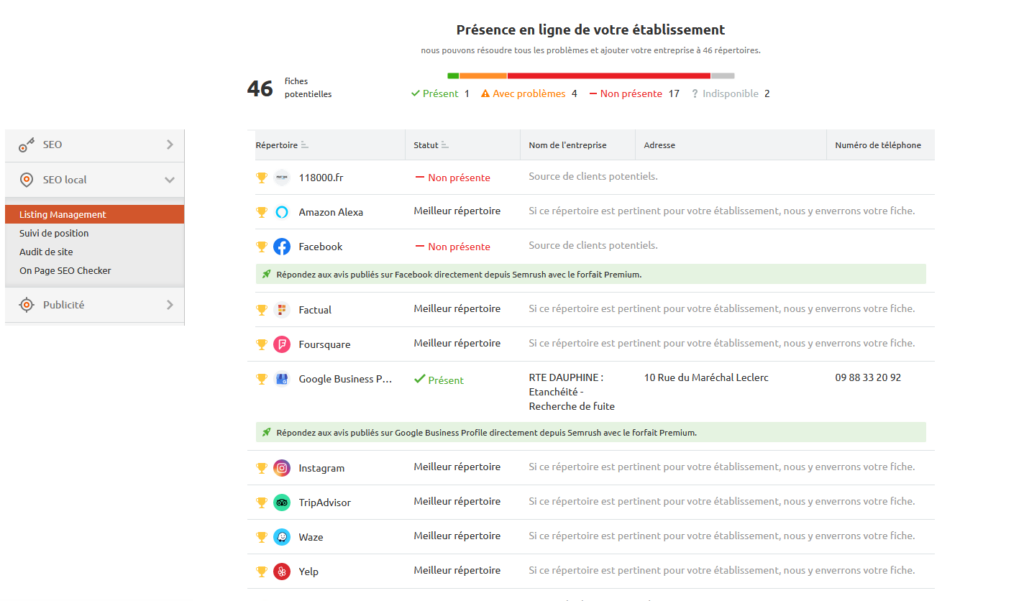
This will allow you to obtain NAP citations through all listed directories. You will then simply need to register your site with them.
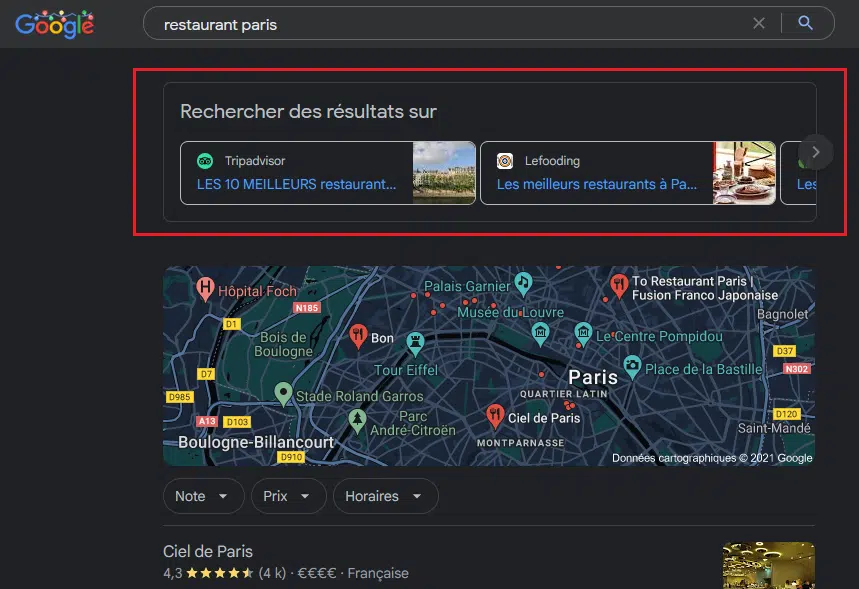
Furthermore, by listing your business on various directories (and elsewhere) you could generate more traffic and leads. While also gaining more pixels in the SERPs:
Conclusion on NAP Citations:
Ensure NAP consistency.
Update your listing(s) and directories, update your site, and add structured data tags.
Google will not prioritise websites it does not consider legitimate. NAP consistency is important for local SEO.
It also provides your potential new customers with the most essential information about your business.
It can take time, but it is very effective for your local visibility if done correctly.