Now that you have created your mind map in buyer persona mode linked to UX and defined the search intents relative to each need, all that remains is to transform the pages into keywords to create a semantic cluster.
Search Volume
Now that you have a perfect structure in marketing mode and have thought about search intents, all you have to do is dismantle it. More seriously, this part is rather delicate — but as you know, it is essential.
Use your favourite tools — SemRush, Ahrefs — to determine the keyword traffic volume for each page. The idea, if possible, is to have a high traffic volume on the first nodes and to progressively decrease in search volume as you go deeper into your linking structure.
Internal Linking: Metamots
In order to “calculate your internal linking”, you must create your metamots. They will also subsequently provide you with the lexies to insert into each piece of content.
You must create one metamot per subject. Thanks to Eurêka, you have obtained many subjects. Feel free to enter X keywords to obtain X metamots. The more you enter, the better your semantic cluster will be — but the more complicated it will be to understand and to implement on your site in the end.
To find your metamots, you must use cocon.se once again.
Calculating Metamots
To begin, define an explicit name for your batch of metamots — you will thus be able to browse all your metamot batches more easily in the future.
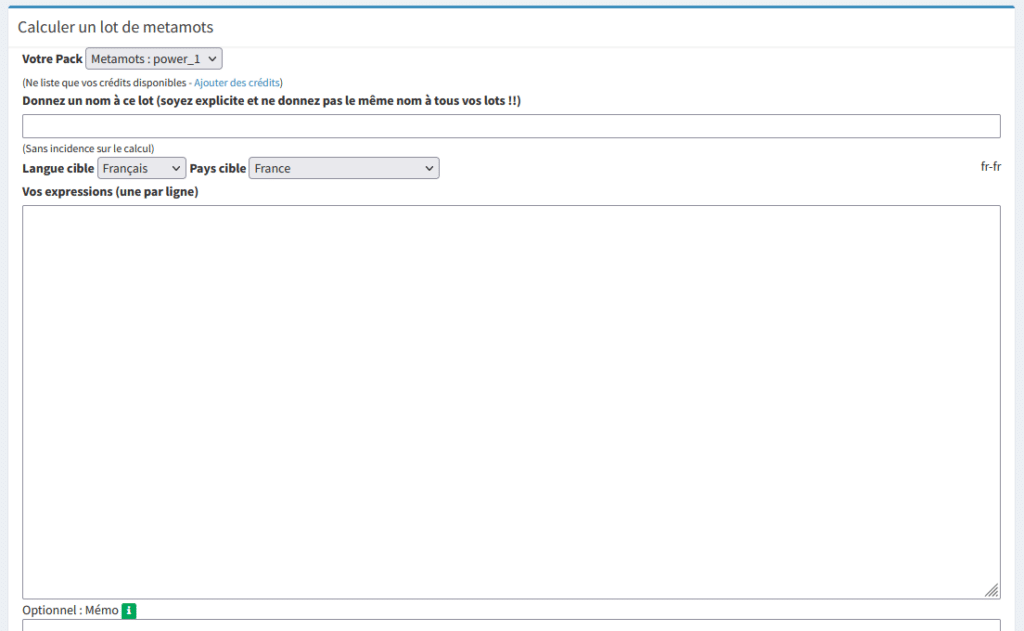
Then, choose the target language and country. Finally, enter your keywords line by line using a tab — that is, one expression/subject per line.
The following steps are so obvious that I will not insult your intelligence by explaining them…
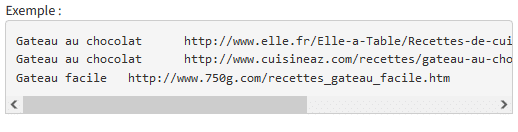
Note: For each expression, you will be able at the next step to associate a URL from your site (optional). The content will be analysed and you will obtain the precise adjustments to make to your content to optimise it against the calculated metamots. Precise optimisations provided later after the calculation in the “Simulation” tab. You can also directly enter your URLs to verify, in the following format:
Semantic Linking
After calculating a metamot, go to the “semantic linking” tab.
From there, I advise you to choose the “Zeus” algorithm — it is the best. But if the results do not suit you for one reason or another — for example, if you find the linking between pages is not relevant — nothing prevents you from trying the other algorithms. By default, the selection is on “Hyperion”:
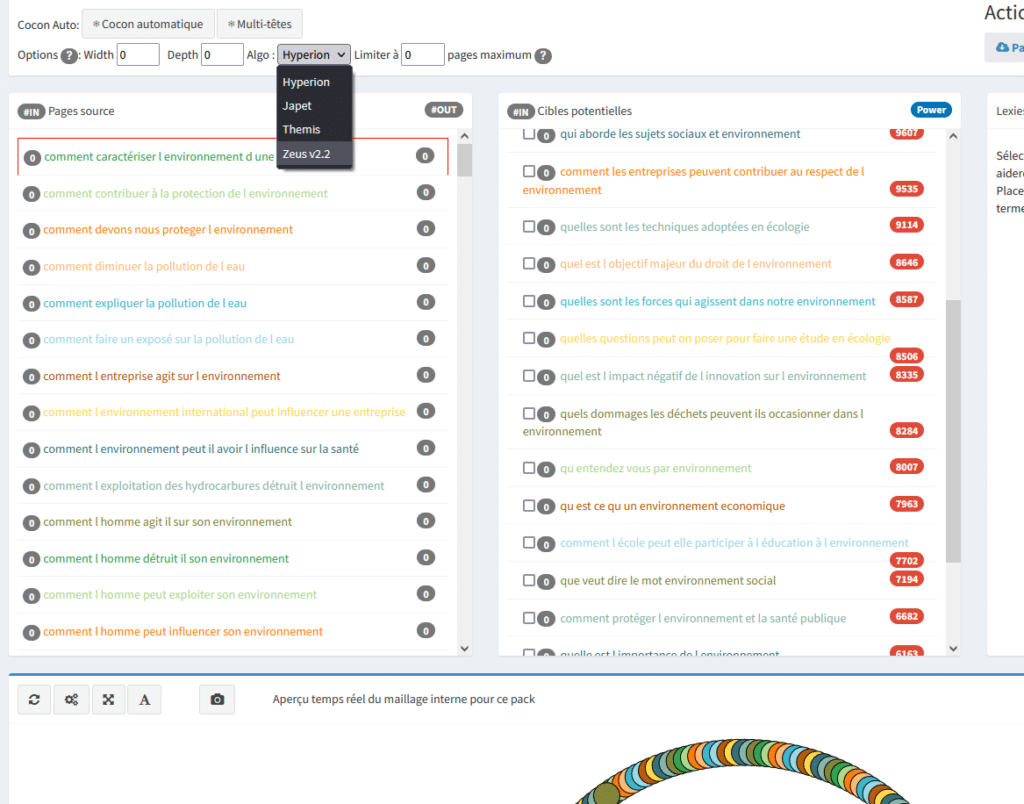
Note: Zeus works very well from 80 – 100+ pages
Then use automatic semantic cluster mode or multi-head semantic cluster mode. Up to you — and up to you to test. I will not go into the details, for many reasons. It is on one of these two buttons that you will need to click to launch the calculation.
Once the choices for your semantic linking calculation are complete and the calculation done, spatialise the preview:
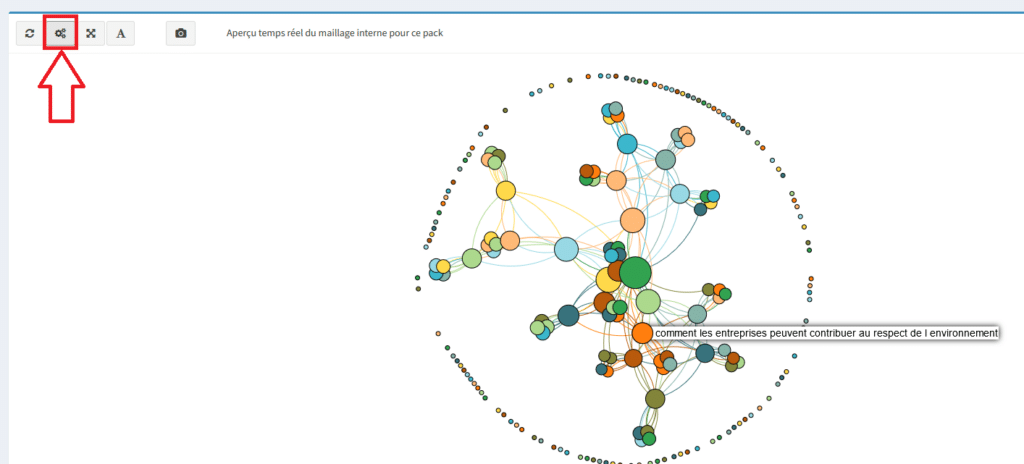
This will give you a clearer picture. You can then hover your mouse over the circles to see which page is concerned.
There are also additional parameters — such as circular linking, called a circular semantic cluster. This allows you to have in principle the most optimised linking structure for Google bot. The idea being:

Impossible for a human to create because it is too complex — the tool will do it for you.
If you want to know more, Christian Méline has made a dedicated video, available here: http://cocon.se/pratique/realiser-cocon-semantique-circulaire.html
Manual Semantic Linking
Personally my favourite for creating a semantic cluster with metamots — but unfortunately very time-consuming. However, if you want to judge for yourself which page should be linked with which, and with what strength, you must use this parameter.
Select a page on the left, then on the right choose the pages that must be linked with it:
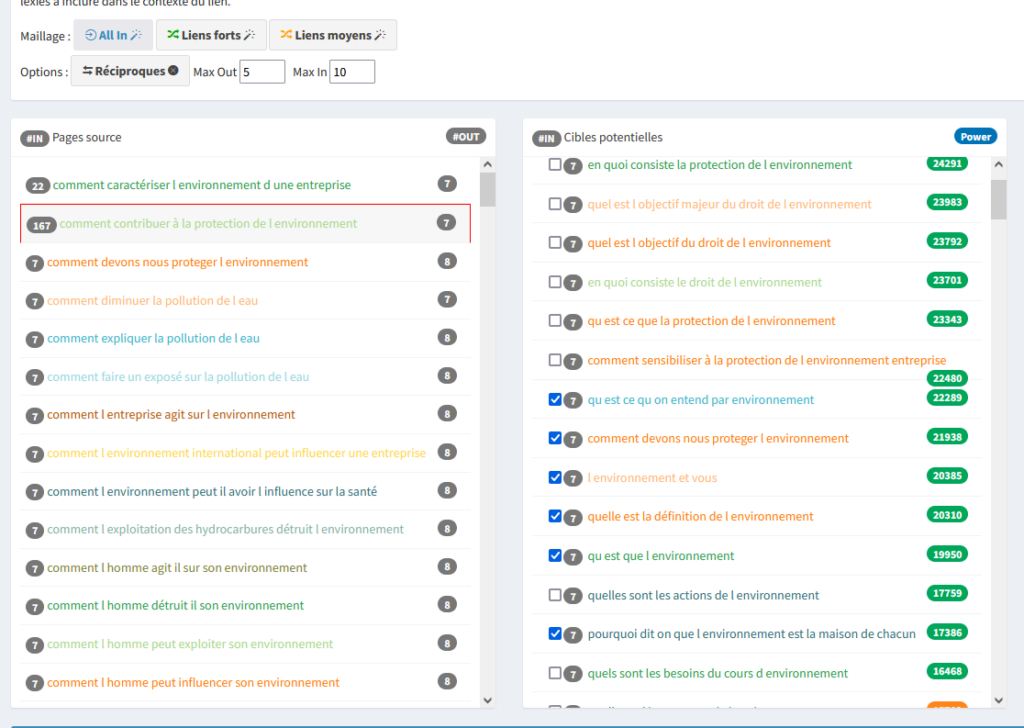
By default, a linking is already predefined. The green score indicates the probability that the semantics with the target URL is the most coherent. Orange is medium, red is poor.
What is great about assisted manual linking is that you can choose to what extent you link to a target page:

This allows you to prioritise the most important pages. For example, you target the keyword “shoe” and then talk about the “shoe” topic with various content pages. In that case, you can say that Rank 2 always links the “shoe” page with “all in”. And so on, depending on the priorities relative to search volume and/or keyword competition.
Having done an all-in on the “How to contribute to environmental protection” page for the example, it looks like this:

It is indeed this page that appears in the centre of the linking, compared to its sister pages which are very little linked. It is clear that in this context our page “how to contribute to environmental protection” will appear on the first page of search results.
Exporting the Linking
You are in luck! It is possible to export your internal linking in HTML or .mm format. However, by choosing certain configurations the .mm will not be available (greyed out). The .mm format allows you to visualise your semantic cluster as a mind map, such as with the Xmind tool.
Lexies for Content Semantics
After finishing your internal linking manipulations, in the simulation tab you will find directives regarding the keywords to place in your content — these famous lexies.
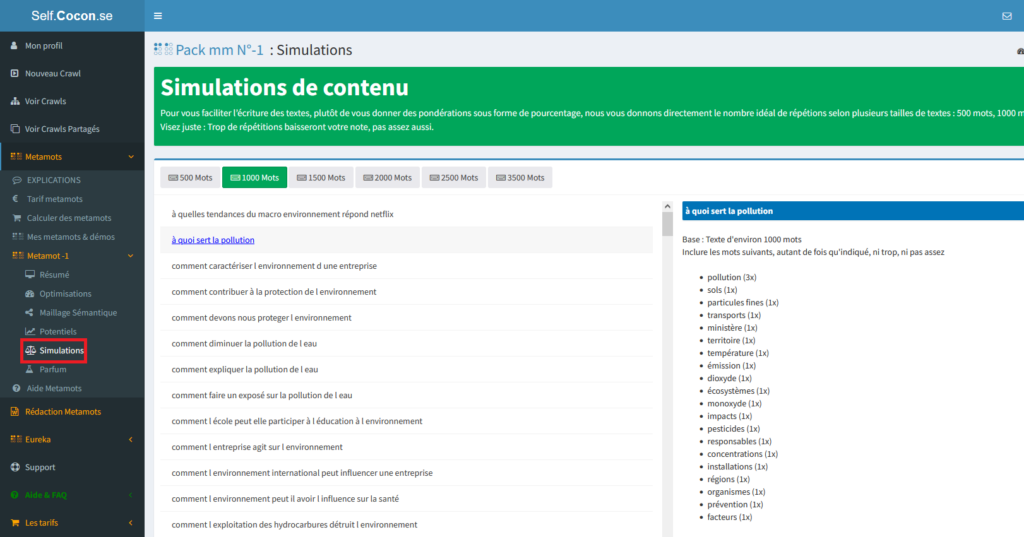
Zoomed in:

The Fragrance, the Keyword’s Scent
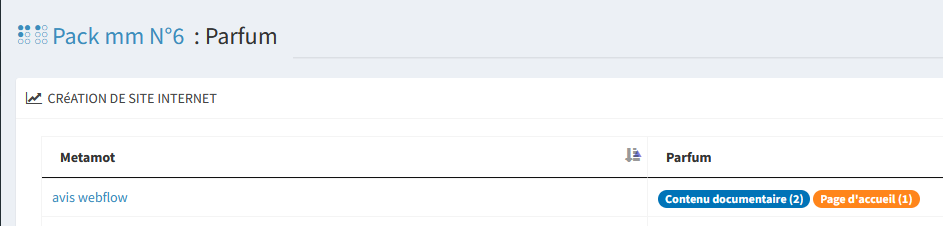
The fragrance — also called the keyword’s scent — allows you to define the content of your page by indicating the contents of the pages positioned for that expression. Here, the keyword’s scent corresponds to informational blog article content and/or home pages. It is in a sense an interpretation of search intent for your page.
Writing Your Articles
Now that you have everything you need — the structure, and the lexies to place in your articles — all that remains is to write all your pages, always thinking of your personas when writing your pages and why you defined your mind map.
By the way, in order to write good SEO-optimised articles, I strongly advise you to read the article on SEO writing.
Linking Your Semantic Cluster
All that remains is to perfectly link all your content on your site!
Do you remember the reasonable surfer? A semantic cluster is built by sharing pages with complementary links contained within the body of the text.
Internal Linking Within Pages
Here is what the classic internal linking of a semantic cluster looks like:

But beyond adding internal links within the content of pages, it is also important to place a table of contents of sister pages so that crawlers perfectly understand the structure of your internal linking. A bit like a breadcrumb trail but better. It is also important to display the parent pages that were used to access the page.
Link Obfuscation
Obfuscation or cloaking will give the best results for working on SEO juice on each of your pages. We could also say it is the final flourish. Indeed, it is ideal to have impermeable compartmentalisation and perfect control over the depth of your pages within your architecture.
Obfuscation: the Simple, Quick and Effective Method
<button onclick=”window.location.href = ‘https://twitter.com/createur2site’;”></button>
Simply place this piece of text to obfuscate a link. If you want to know more, go to the complete article on link obfuscation.
Checking Your Internal Linking
Next, reuse the cocon.se tool to verify the implementation of your semantic cluster(s) on your website and observe their evolution if needed over time.
To do this, you can “launch a crawl”:
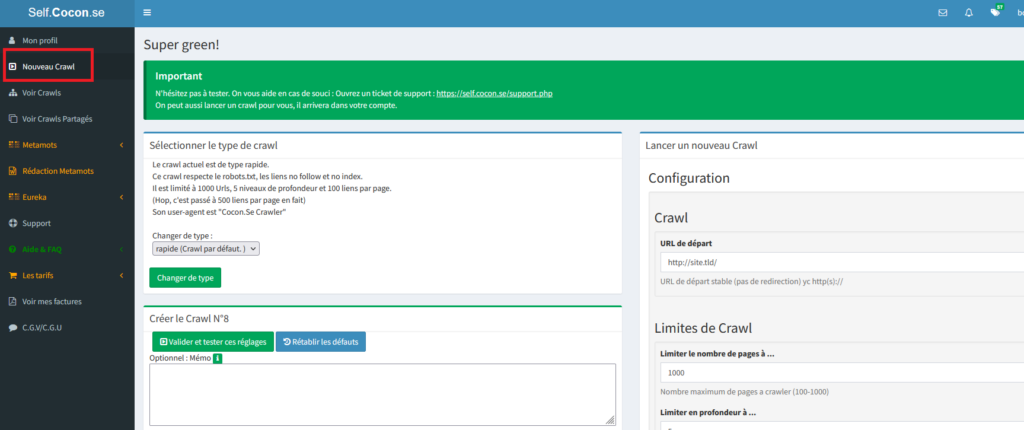
Why is this important? In order to be sure you have correctly linked your pages, it is essential not to omit this task. This will also allow you to see whether you need to obfuscate pages if they are disrupting your architecture.
Note: you can also use other crawl tools such as ScreamingFrog to analyse your internal linking architecture.
Summary of the Semantic Cluster
Did you follow all the steps? Is it too complicated? Probably. In any case, all of this is full of ideas for optimising your natural search engine ranking and much more.
Launch the tools, try, repeat, change your mind map along the way — it is now above all a matter of practice.
If you have questions, suggestions, comments, or anything else at all, please do not hesitate to leave a comment!