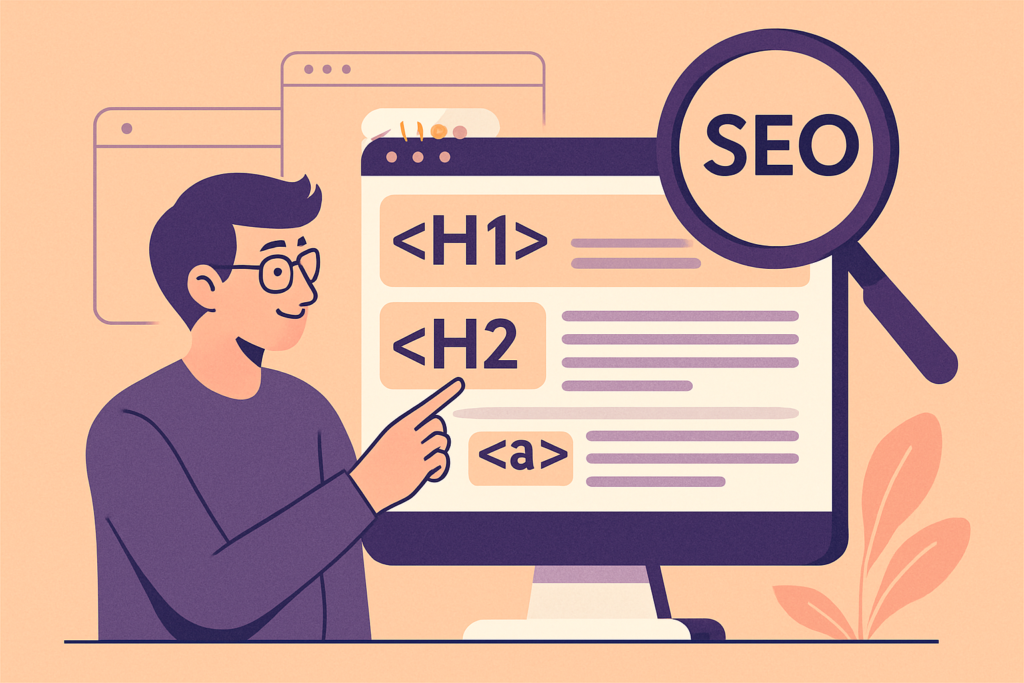
Here is a summary of the most important HTML tags for SEO practitioners.
SEO tags to place in the <head>
The meta description
<meta name="description" content="Description of your page as displayed in search results">
Its purpose is to entice users to click on your page’s link in search results. It is not used by search engine bots directly for ranking, but it contributes indirectly by improving your click-through rate — an indirect ranking signal due to the RankBrain algorithm.
See our guide on writing a good SEO meta description.
The <title> tag
The <title> tag contains the title of your web page. You should include your page’s primary keyword while keeping the title natural. This tag is not directly visible to users, but it helps search engine bots understand what your page is about.
This tag is sometimes incorrectly referred to as the “meta title” — this is a misuse of the term. As its code indicates, it does not contain the word “meta”.
See our guide on how to write a good SEO title tag.
The canonical URL
<link rel="canonical" href="https://example.com/example-page/" />
It informs search engine bots that this is the parent URL — indicating that it is the original URL for this piece of content.
See the guide on canonical URLs for SEO.
The meta robots tag
<meta name="robots" content="noindex"/>
It is used to tell search engines that you do NOT want your web page indexed.
See the meta robots tag guide.
Open Graph tags
For better interpretation of your content by social networks:
<meta property=”og:url” content=”https://yoururl.com/” /> — This tag corresponds to the canonical URL of the page, i.e. the main URL of your web page.
<meta property=”og:title” content=”Page title” /> — This tag corresponds to your page title. It can match your Title tag or be slightly different for better click attraction.
<meta property=”og:description” content=”Page description” /> — This tag refers to your page’s meta description. It can match your Meta tag or be slightly different.
<meta property=”og:image” content=”https://yoururl.com/image/” /> — This tag allows you to specify the URL of the image you want to feature when the page is shared on social networks.
<html xmlns:og="http://ogp.me/ns#">
<head>
<title>Why use Open Graph tags?</title>
<meta property="og:title" content="Ultimate guide to Open Graph tags" />
</head>
</html>
Our complete guide on Open Graph tags.
SEO tags to place in your content
Heading tags (H1 – H6)
Heading tags are used to format content with titles. The H1 tag is the main title of the page, followed by H2, H3, etc.
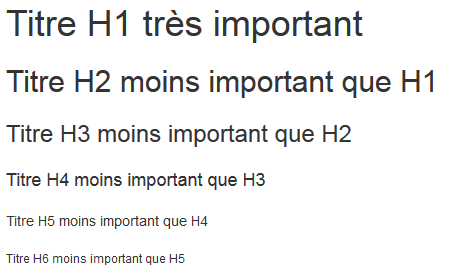
Key points about Hn tags:
- Do not skip heading levels when going deeper into your content under the same heading
- One and only one H1 tag per page
- Use your keywords in headings
See our complete guide on SEO heading tags (H1 – H6).
Bold (<strong>) and italic (<i>) tags
These can be used to highlight the important parts of your page. These elements can be weighted by search engines to better identify web pages that may more effectively serve users.
The <em> tag indicates emphasis, not italics as such. Don’t use it to italicize something that is not intended to be stressed; instead, use <i> for non-emphasized italics. (Emphasis indicates a tone, an exaggerated or misplaced declaratory style.)
The <strong> tag indicates strong importance, but not bold as such. To bold a word that does not warrant strong importance, use the <b> element.
The <br> tag is intended “only for line breaks that are actually part of the content, such as in poems or addresses.” Do not use it to adjust spacing between lines. Instead, use elements like <p> to semantically mark up text and CSS to adjust line spacing.
The <alt> attribute
The alt attribute allows search engines to understand the meaning and purpose of your images.
Discover our complete guide for optimizing your images for SEO.
Semantic HTML markup
Most of the tags we’ve covered provide “semantic” information to search engine crawlers like Google’s. But you can also delimit specific areas of your web page to make your page structure as clear as possible for search engines.
Here are the main semantic tags:
The <section> tag can tell crawlers that the associated content block may be indexed as a content fragment.
The <aside> tag indicates that this is a section that does not deal with the main topic of the page.
Or consult our complete guide on semantic HTML for SEO.